
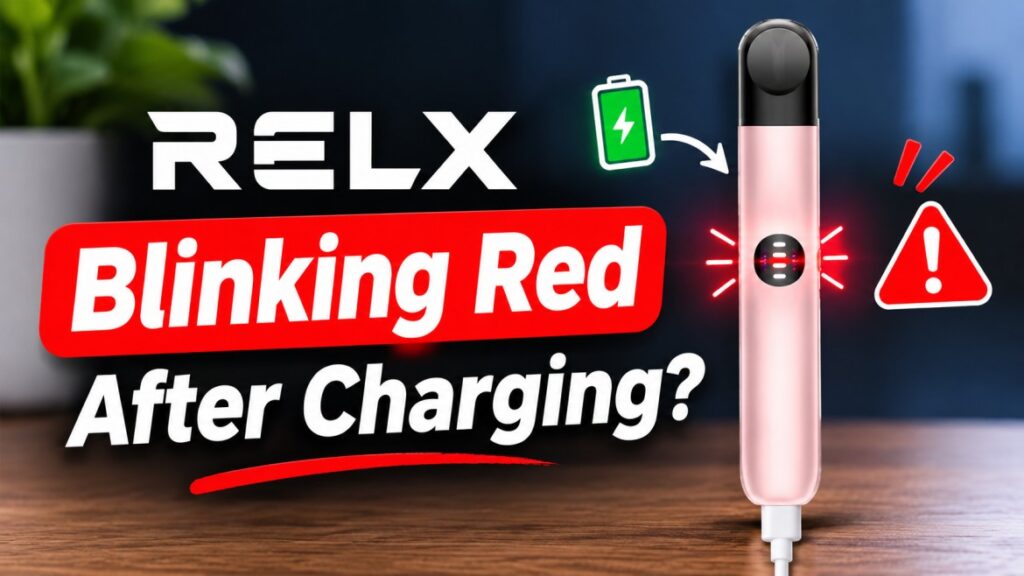
RELX Blinking Red After Charging? Causes & Easy Fixes
RELX blinking red after charging? Learn what 3 and 10 red flashes mean on Infinity and Infinity 2, plus safe step-by-step fixes that UAE vapers can try today
On this page · 12 sections
- What Does a Blinking Red Light on a RELX Device Mean?
- 6 Common Reasons Your RELX Keeps Blinking Red After Charging
- How to Fix a RELX Blinking Red After Charging: Step-by-Step Troubleshooting
- Why Is My RELX Blinking Red 3 Times?
- RELX Infinity 2 Red Light Blinking: What Does It Mean?
- Why Is My RELX Infinity Blinking Red?
- How to Reset RELX Infinity 2
- How to Tell Whether Your RELX Pod or Battery Is the Problem
- When Should You Stop Using a RELX Device That Keeps Blinking Red?
- How to Prevent Your RELX Device from Blinking Red Again
- Frequently Asked Questions About RELX Blinking Red After Charging
- Conclusion: Get to the Bottom of Your RELX Red Blinking Light
You plugged it in, waited, and watched the light settle. Then you click in a pod, take a puff, and the red light starts blinking again. Frustrating, right?
Here’s the short answer. A RELX blinking red after charging rarely means the battery is still empty. When the battery is full and the red light keeps flashing, your device is telling you something else is wrong. The usual causes are
- A pod connection problem
- E-liquid or condensation on the contact points
- A faulty, burnt, or incompatible pod
- A bad charging cable or dirty port
- An internal battery or circuit fault
Every RELX device uses its LED for both battery status and warnings, but the patterns differ between the Classic, Infinity, and Infinity 2. So the number of flashes matters. Let’s decode them and fix the problem.
What Does a Blinking Red Light on a RELX Device Mean?
Does a Red Blinking Light Mean the Battery Is Dead?
No. Red does two jobs on a RELX: it warns you about low power, and it flags errors. On the Infinity 2, RELX states that ten red flashes mean the device needs charging. That’s a very specific pattern.
Charging has its own signal. A RELX device pulses white while it charges and turns solid white once it’s full. So if you saw that solid white light and the red flashes still appear when you puff, the battery isn’t your problem. The device is reporting an operating error instead.
Is a Blinking Red Light a Pod or Battery Problem?
Most of the time, it’s the pod connection. Your device reads the pod through small metal contacts at the base. It checks the coil’s electrical resistance before it fires. If that reading looks wrong because of liquid, dirt, a loose fit, or a dead coil, the device cuts power and flashes red.
That’s why you should test the charging setup and the pod separately. If a fresh RELX Pod Pro 2 works fine, your old pod was the culprit. If every pod fails, look at the device.
Do RELX Infinity and Infinity 2 Have Different Red Light Codes?
Yes. The original Classic uses a single light, while the Infinity 2 has a four-bar LED battery indicator on the front. Three flashes can also mean different things on different models. Keep the leaflet from your box, because it lists the exact codes for your device.
6 Common Reasons Your RELX Keeps Blinking Red After Charging
1. E-Liquid or Condensation on the Contact Pins
Every puff leaves a little vapor behind. Over time, it condenses and drips toward the pod base. In the UAE, walking from an air-conditioned mall into humid outdoor air speeds this up. That moisture sits between the pod and the pins, disrupts the electrical reading, and the device refuses to recognize a pod that’s sitting perfectly in place.
2. Dirty or Stuck Spring-Loaded Contact Pins
The two small pins inside the device carry power to the pod. Sticky residue, pocket lint, or dust stops them from pressing evenly against the pod. One weak contact is enough to trigger a red warning. Clean around them gently, but never pry, bend, or push the pins with metal tools. Bent pins need professional repair.
3. A Faulty, Burnt, or Incompatible RELX Pod
A pod with a damaged or burnt coil gives an abnormal resistance reading, and the device blocks it. A pod that isn’t fully seated does the same. Compatibility matters too: the Classic takes RELXPods, while the Infinity and Essential take RELX Pod Pro and RELX Pod.
Counterfeit pods are a bigger risk. Poor coil quality and sloppy sizing cause constant connection errors. Stick to genuine options like RELX Pod Pro 18mg and check authenticity before you blame the device.
4. The Device Appears Charged but Hasn’t Charged Properly
A light that turns on doesn’t prove a full charge. A frayed cable, a loose plug, or lint packed inside the USB-C port can interrupt charging without you noticing. Some cheap adapters also deliver unstable power.
Know your normal charge time. RELX says the Infinity and Essential fully charge in 45 to 60 minutes, and the Infinity 2 reaches 80% in about 15 minutes. If your device “charges” far faster or slower than that, suspect the cable or port.
5. Built-In Safety Protection or Temporary Device Cutoff
RELX devices protect themselves. On the Classic, three flashes signal inhale protection after a heavy draw, or overcharge protection when the cable gets yanked out hard or unplugged too often after a full charge. On the Infinity 2, RELX notes that a flashing light can also mean a puff time-out.
These are temporary. Wait a few seconds, take a normal puff, and the device should work. If the warning returns on every puff, it’s a real fault.
6. Internal Battery or Circuit Board Malfunction
Lithium-ion batteries wear out. RELX rates the Classic battery at about 300 charge cycles. Liquid seeping inside drops onto hard floors, and heat damage also harms the circuit board. If the red light continues after cleaning, a fresh pod, and a known-good cable, you’re likely dealing with hardware failure.
How to Fix a RELX Blinking Red After Charging: Step-by-Step Troubleshooting
Step 1: Remove the pod and inspect the connection area. Unplug the charger, pull the pod out, and look for moisture, residue, or damage around the base.
Expected result: you spot any visible contamination.
Step 2: Clean the pod and device contact areas. Wipe the pod base and the accessible area inside the device with a dry, lint-free cotton swab. Skip water and cleaning sprays. Let everything air-dry fully. If your pod also feels clogged, try these quick fixes for a blocked RELX pod.
Expected result: clean, dry contacts.
Step 3: Check that the pod is seated properly. Inspect it for cracks, confirm it matches your model, and push it in gently until it clicks. Never force it.
Expected result: a snug fit (the Infinity models vibrate on connection).
Step 4: Check the charging cable and power source. Look for fraying, clear lint from the port, and try a different cable that you know works. If red flashes appear while puffing, RELX advises charging for more than 10 minutes.
Expected result: the normal pulsing white charging light.
Step 5: Let the device cool down. If it feels warm, disconnect it and let it rest at room temperature.
Expected result: you learn whether a temporary protection kicked in.
Step 6: Test with another pod. Insert a new, genuine, compatible pod.
Expected result: if the red light stops, the old pod was faulty. Stop testing if you notice heat, smells, or odd noises.
Step 7: Contact RELX support. Share your exact model, the flash pattern, the steps you tried, and your proof of purchase. RELX devices carry a one-year or 18-month limited warranty depending on where you bought them.
Why Is My RELX Blinking Red 3 Times?
What Does Three Red Flashes Mean on a RELX?
Three red flashes usually point to a pod or contact problem. RELX’s own FAQ answers this exact situation: when the red LED flashes three times and no vapor comes out, clean the device with a cotton swab, try a different pod, and keep the inside dry.
On the Classic specifically, three flashes also cover inhale protection and the cable-unplugging protection mentioned earlier. That’s why identifying your model first saves time.
How to Troubleshoot a RELX That Blinks Red Three Times
- Take the pod out and dry the base and contacts.
- Reinsert the pod firmly or swap in a fresh, compatible one.
- Take slower, shorter draws.
- Contact RELX support if the pattern continues across several pods.
RELX Infinity 2 Red Light Blinking: What Does It Mean?
The RELX Infinity 2 is one of the most popular pod devices in the UAE. It works with RELX Pod Pro pods and shows battery level through its four-bar LED. Its red signals depend on two things: how many times the light flashes and whether it happens during use, charging, or pod insertion.
Why Does My RELX Infinity 2 Keep Blinking Red After Charging?
The most common reasons are a poor pod connection, moisture on the contacts, a dead or incompatible pod, a charging fault, or internal damage. RELX gives a direct rule here: if the device doesn’t vibrate when you insert the pod and the red LED flashes, charge it first; if the problem continues, the device may need replacing.
What Does 10 Red Flashes Mean on RELX Infinity 2?
Ten red flashes mean the battery is empty and the device stops firing. An independent review confirms that the indicator flashes red ten times when the battery runs out, and the device stops working. This is a low-battery code only. Other red patterns, especially after a full charge, point to pod or hardware issues.
How to Troubleshoot a RELX Infinity 2 Red Light
Check the pod, clean the accessible contacts, confirm your cable and charger work, compare the flash pattern with your manual, and contact support if the warning persists.
Why Is My RELX Infinity Blinking Red?
The original Infinity shares most of its behavior with the Infinity 2, but it uses a simpler single light instead of four bars. The same culprits apply: poor pod contact, condensation, residue, faulty pods, charging problems, and battery wear.
RELX Infinity Red Light During Use
A red light while puffing usually means low battery or a pod detection error. The Infinity also has a pacing feature: after 15 puffs within 15 minutes, the device vibrates and flashes. That’s a reminder, not a fault.
RELX Infinity Red Light While Charging
If red appears while plugged in and the light never moves to the normal pulsing white, check the cable, clear the port, and try another adapter. If none of that works, the battery is likely worn.
What Should You Do If Your RELX Infinity Keeps Blinking Red?
Follow the seven steps above. If the red light survives all of them, contact RELX support or your retailer.
How to Reset RELX Infinity 2
RELX doesn’t publish a factory reset for the Infinity 2. There’s no hidden button combination, so ignore videos claiming otherwise. What people call a “reset” is really a power-and-pod restart, and it fixes connection errors, not software issues.
Steps to Troubleshoot and Restart Your RELX Infinity 2
- Disconnect the charger.
- Remove the pod.
- Inspect the contact area.
- Wipe residue with a dry, lint-free cotton swab.
- Let all surfaces dry completely.
- Reinsert a compatible pod and wait for the vibration.
- Take a gentle puff to test.
What If Your RELX Infinity 2 Still Blinks Red After Resetting?
Then the problem isn’t a glitch. It’s the pod, the charging setup, or the internal hardware. Contact RELX support with your warranty details.
How to Tell Whether Your RELX Pod or Battery Is the Problem
| What you notice | Possible explanation |
|---|---|
| Red light only with one particular pod | Pod fault or connection issue |
| Visible moisture around the contacts | Condensation or e-liquid residue |
| Red blinking continues with several compatible pods | Device hardware issue |
| No normal charging light | Cable, port, or battery issue |
| Device gets unusually hot | Electrical or battery fault |
Use these as troubleshooting clues, not a final diagnosis. A technician or RELX support confirms the actual fault.
When Should You Stop Using a RELX Device That Keeps Blinking Red?
Stop immediately if you notice:
- Unusual overheating
- A swollen or bent battery housing
- The device firing on its own
- A burning smell
- Liquid inside the device body
- A damaged charging port
Unplug it if that’s safe, and don’t force-charge it, open it, or try to fix the battery yourself. Contact RELX support or your retailer. In the UAE, take damaged lithium-ion batteries to an e-waste or battery collection point, never the household bin.
How to Prevent Your RELX Device from Blinking Red Again
Keep Pod Contact Points Clean and Dry
Check the pod base whenever you swap pods. A five-second wipe stops most connection errors before they start.
Avoid E-Liquid Leakage and Moisture Buildup
Store pods upright, avoid hard pulls, and don’t leave the device in a humid bathroom. Gentle draws also help with flavor problems, like a RELX pod that tastes dry on the first hit.
Use Genuine and Compatible RELX Pods
Fake pods cause the most avoidable errors. RELX prints a serial code on its devices, and on the Infinity, Essential, and Artisan you’ll find it inside the curved opening. Use it to verify your product on the official RELX site. For original devices and pods in Dubai and across the UAE, you can shop the full range at TEREA Dubai.
Follow the Recommended Charging Instructions
Use the original or a quality USB-C cable, unplug gently, and avoid cheap power banks with unstable output.
Handle and Store Your Device Carefully
Drops crack internal joints. And never leave your device in a parked car during a UAE summer, because extreme heat damages lithium-ion cells fast.
Frequently Asked Questions About RELX Blinking Red After Charging
Q1. Why is my RELX blinking red even after charging?
Because the battery isn’t the problem. A full charge doesn’t fix dirty contacts, condensation, a faulty pod, or internal damage. Clean the pod base, reseat the pod, and test a fresh one.
Q2. Why is my RELX blinking red 3 times?
Three red flashes signal a pod or contact problem on most models. RELX recommends cleaning the device with a cotton swab and trying another pod. On the Classic, it can also mean “inhale” or “charging protection.”
Q3. Why is my RELX Infinity 2 red light blinking?
Ten flashes mean low battery. Red flashes after a full charge point to pod connection, moisture, a faulty pod, or a device fault. Note the exact pattern and when it happens.
Q4. Why is my RELX Infinity blinking red?
Dirty contacts, condensation, faulty pods, charging problems, or a worn battery. Clean and dry the contacts first, then test another genuine pod.
Q5. How do I reset RELX Infinity 2?
There’s no official factory reset. Unplug the charger, remove the pod, clean and dry the contacts, then reinsert a compatible pod. If it still blinks, contact support.
Q6. Why is my RELX still blinking red after charging overnight?
A faulty cable, blocked port, worn battery, or bad pod connection. Don’t leave a malfunctioning device plugged in. Unplug it and test each part separately.
Q7. Can a faulty RELX pod cause a red blinking light?
Yes. A damaged coil or poorly made pod gives an abnormal resistance reading, and the device blocks it. Use genuine, compatible pods.
Q8. How do I fix a RELX red light indicator?
Inspect the pod, clean accessible contacts, confirm compatibility, check your cable and charger, and contact RELX support if the warning continues.
Q9. Why is my RELX not working after charging?
Charging restores power, but it doesn’t fix a blocked connection, a dead coil, or a hardware fault. Work through the pod and contact checks next.
Q10. Can condensation make my RELX blink red?
Yes. Moisture between the pod and the pins disrupts the electrical reading, so the device can’t detect the pod. Dry everything fully before reinserting.
Q11. Does a blinking red RELX light mean I need a new battery?
No, not by default. Rule out pod problems, dirty contacts, and charging faults first. Battery wear only becomes the likely cause after those checks fail.
Q12. Why does my RELX blink red with a new pod?
The pod may be the wrong type, not fully seated, or defective. If several new genuine pods fail, the device’s contacts or internals are at fault.
Q13. Is it safe to use my RELX if it keeps blinking red?
Only while you troubleshoot. Stop immediately if you notice overheating, swelling, a burning smell, or the device firing on its own.
Q14. When should I replace my RELX device?
Replace it when errors persist after every check, charging keeps failing, or you suspect battery damage. Contact RELX support or your retailer first. If you’re shopping for a new one, the RELX Artisan is a solid premium pick.
Conclusion: Get to the Bottom of Your RELX Red Blinking Light
A RELX blinking red after charging doesn’t mean your battery is dead. In most cases, the pod connection, moisture, or a bad pod causes it, and a dry cotton swab plus a fresh pod fixes it in minutes. Pay attention to the exact pattern, especially on the Infinity and Infinity 2: ten flashes mean low battery, while red after a full charge points somewhere else.
If the warning survives every check, contact RELX support instead of attempting a repair. And if you notice heat, swelling, or a burning smell, stop using the device right away.
Want more quick fixes like this? Browse our other RELX guides and keep your device running smoothly.
Writes for TEREA HEETS Dubai. About our editorial team
 Simple Ways to Clear a Blocked RELX Pod in Seconds
 IQOS BONDS and BLENDS Explained: How the System Works in the UAE
 IQOS ILUMA User Manual Guide: Setup, Usage, and Maintenance
 RELX Infinity 2 vs Infinity Plus: Which Handles Frequent Use Better?
 When Should You Replace Your IQOS ILUMA Device: Signs of Wear